
Every trader eventually searches for a trading journal template. It makes sense - you want something ready to use, preferably free, that helps you track trades and review performance.
The problem is that most templates fall into one of two traps: they are either too simple (just a table of entries and exits) or too complex (30 columns, custom formulas, and you spend more time maintaining the template than actually reviewing your trades).
This guide compares the most popular options honestly - Notion templates, Google Sheets templates, Excel, and dedicated trading journal apps - so you can pick the one that actually fits your trading style.
What a Trading Journal Template Needs to Do
Before comparing options, here is what any trading journal should handle at a minimum:
- Log trades with entry, exit, P&L, and position size
- Calculate basic stats - win rate, average win vs average loss, risk-reward ratio
- Tag or categorize trades by setup, instrument, or strategy
- Support review - you need to be able to look back at trades and spot patterns
If a template does not make these things easy, it does not matter how pretty it looks. The best journal is the one you actually use consistently. For more on what to track, see our complete beginner's guide.
Notion Trading Journal Templates
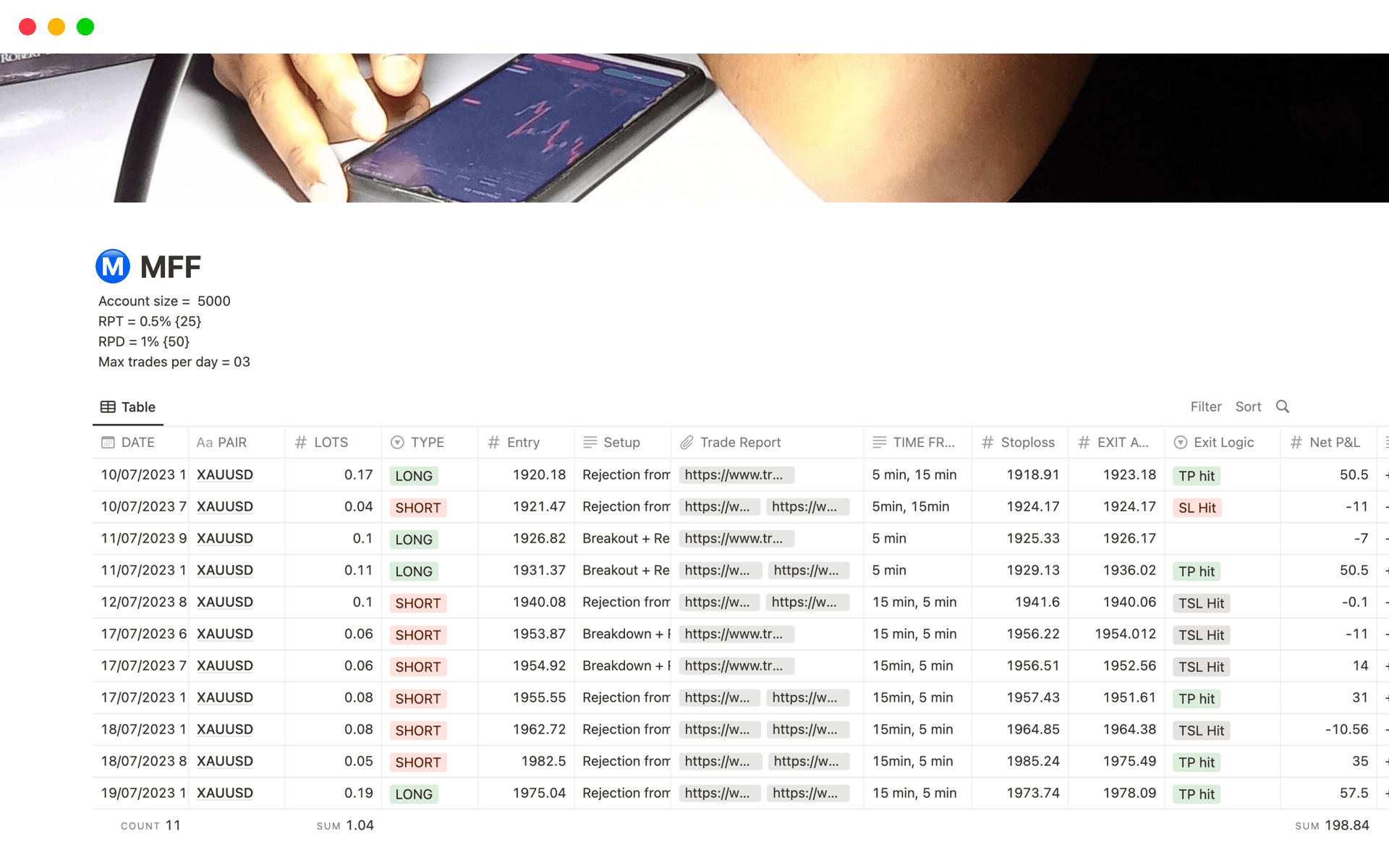
Notion is a popular productivity tool, and the trading community has built hundreds of free journal templates for it. You will find them on Notion's template gallery and across Reddit, YouTube, and Twitter.
What works
Notion is genuinely good at organizing information. A database-style journal lets you create different views - table, board, calendar - from the same data. You can add custom properties (tags, dropdowns, relations) and build something that looks exactly the way you want it.
For traders who enjoy building systems, Notion can feel satisfying to set up.
Where it falls short
The core problem with Notion for trading journals is that it has no math. There is no built-in way to automatically calculate win rate, average R, or P&L summaries. You enter trades manually, and any analysis requires you to export the data or count things by hand.
Notion also has no charts. You cannot visualize an equity curve, a P&L calendar heatmap, or a distribution of your R-multiples. For a tool that is supposed to help you find patterns, that is a significant gap.
Other practical issues:
- Every trade is manual entry - no CSV import, no broker sync
- Performance slows down as your database grows past a few hundred entries
- Mobile experience is decent but not optimized for quick trade logging
- Formulas (Notion formulas, not spreadsheet formulas) are limited and awkward for financial calculations
Who should use it
Notion works if you take fewer than 5 trades per week, enjoy building templates, and do not need automatic statistics. It is better as a trade diary (qualitative notes and reflections) than as a trade analytics tool.
Google Sheets Trading Journal Templates
Google Sheets is probably the most common starting point for traders who want a journal template. It is free, works in the browser, and can handle real calculations.
What works
Spreadsheets are genuinely powerful for financial data. You can calculate P&L, win rates, averages, and ratios with formulas. You can create basic charts (equity curve, P&L by month). And unlike Notion, you can build conditional formatting to highlight your best and worst trades visually.
Google Sheets also has a major advantage: you can share and collaborate. If you have a mentor or accountability partner, sharing a live spreadsheet is straightforward.
Where it falls short
The biggest issue is setup time. A good trading journal spreadsheet is not trivial to build. You need:
- A trade log sheet with the right columns
- Formulas for P&L, R-multiples, win rate, and averages
- A summary sheet or dashboard that pulls from the log
- Conditional formatting so it is actually readable
- Maybe a calendar view (very hard to build in a spreadsheet)
Most free templates you find online cover the basics but break when you try to customize them. The formulas are fragile, the layout is cramped, and adding new features (like tagging by setup type) requires spreadsheet skills that most traders do not have.
Other practical issues:
- Manual entry for every trade - no import from most templates
- Gets unwieldy past a few hundred rows
- No mobile-friendly way to log trades quickly
- Easy to accidentally break formulas
Who should use it
Google Sheets works well if you enjoy spreadsheets, take moderate trade volume, and want full control over your layout and calculations. It is the best free option if you are willing to invest the setup time.

Excel Trading Journal Templates
Excel is similar to Google Sheets but runs locally on your desktop. The main differences:
- Better performance with large datasets (thousands of trades)
- More powerful formulas and pivot tables for advanced analysis
- No cloud by default - your data stays on your computer (good for privacy, bad for access from multiple devices)
- Not free - requires a Microsoft 365 subscription or one-time purchase
If you already use Excel daily and are comfortable with pivot tables, it can be a solid journal. But if you are starting from scratch, the learning curve and cost make it harder to justify over free alternatives.
Dedicated Trading Journal Apps
The third option is a purpose-built trading journal app. These are tools designed specifically for traders, with trade logging, automatic statistics, and analytics built in from the start.
What works
The main advantage is that everything works out of the box. You do not build formulas, design layouts, or troubleshoot broken templates. You log a trade, and the app calculates your win rate, P&L, average R, drawdown, and other metrics automatically.
Most dedicated apps also offer:
- CSV import from popular brokers
- Calendar view for daily P&L
- Tag-based filtering (by setup, instrument, or strategy)
- Charts and visualizations that a spreadsheet cannot easily replicate
Where it falls short
Some dedicated apps are expensive ($20-50/month), which is hard to justify if you are a beginner or casual trader. Others lock basic features behind paywalls. And unlike a spreadsheet, you have less control over the exact layout and calculations.
Recommended: GASPNTRADER
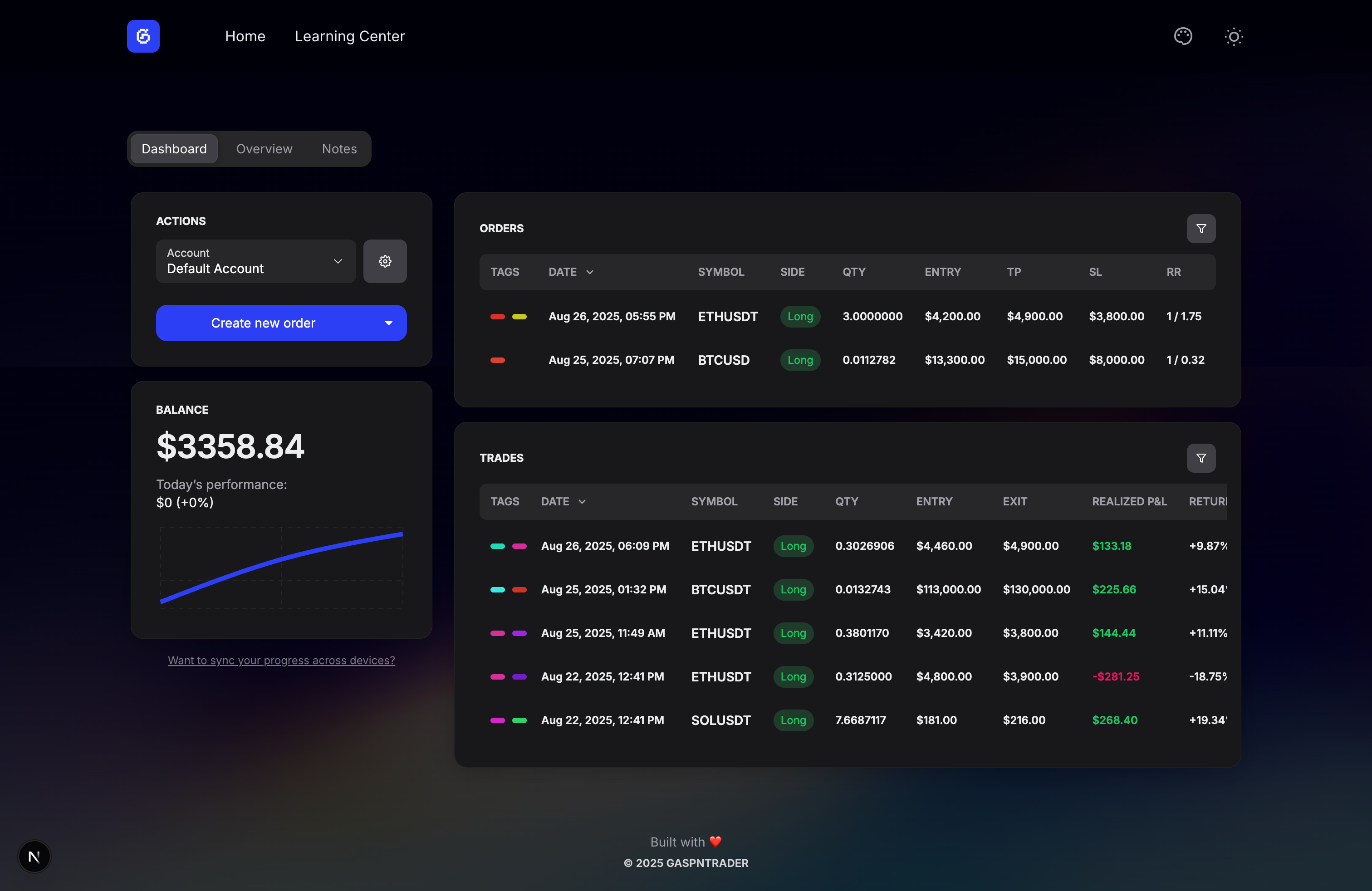
GASPNTRADER is a free web-based trading journal with no account required. You open it and start logging trades immediately. It calculates statistics automatically, supports CSV import from major brokers, and includes a calendar view for daily P&L tracking.
The free tier has no trade limits, which is a meaningful difference from competitors that cap free usage at 30-100 trades per month.
For a detailed comparison with paid alternatives, see our best free trading journals article.
Comparison Table
| Feature | Notion | Google Sheets | Excel | Dedicated App |
|---|---|---|---|---|
| Price | Free | Free | Paid | Free to paid |
| Setup time | Medium | High | High | None |
| Auto statistics | No | Manual formulas | Manual formulas | Yes |
| CSV import | No | Possible but manual | Possible but manual | Usually yes |
| Calendar view | Basic (database view) | Very hard to build | Very hard to build | Usually yes |
| Mobile logging | Decent | Poor | No | Usually yes |
| Customization | High | Very high | Very high | Limited |
| Scales past 500 trades | Slows down | Gets messy | Handles well | Handles well |
Which Option Should You Choose?
Choose Notion if you take fewer than 5 trades per week, enjoy building systems, and care more about qualitative journaling (notes, reflections) than quantitative analysis.
Choose Google Sheets if you are comfortable with spreadsheets, want full control, and are willing to invest a few hours in setup. Best paired with a pre-built template that you customize rather than building from scratch.
Choose a dedicated app if you want to start immediately, need automatic statistics, or trade frequently enough that manual entry would burn you out. This is the path of least resistance for most traders.
The honest truth: the best trading journal is the one you will actually use every day. For more on this topic, see our comparison of the best free trading journals. A perfect spreadsheet that you abandon after two weeks is worse than a simple app you stick with for months. Pick the option that matches your personality, not the one that looks most impressive.
FAQ
Are free Notion trading journal templates good enough?
For basic trade logging and reflection, yes. For actual performance analysis (win rate, expectancy, drawdown), no. Notion cannot calculate these automatically, so you will either do it by hand or miss the insights entirely.
What is the best free Google Sheets trading journal template?
There is no single "best" template because it depends on what you trade and how you trade. Look for one that includes: a trade log with at least 8-10 fields, automatic P&L calculation, and a summary section. Test it with 20 trades before committing to it long-term.
Can I switch from a template to an app later?
Yes, as long as your template or spreadsheet supports CSV export. Most dedicated apps, including GASPNTRADER, accept CSV imports, so your trade history carries over.
Related Tools and Guides
- Best Day Trading Journal in 2026 - Detailed comparison of the best free and paid journals
- Risk-Reward Ratio Calculator - Calculate R:R for every trade setup
- Position Size Calculator - Size your trades based on risk tolerance