There are thousands of crypto apps. Most are noise. What actually matters is having a small set of tools that cover the essentials: charting, market data, macro awareness, wallet management, and performance tracking.
This is not a list of 20 apps you will never install. These are the ones that crypto traders actually use daily, and why each one earns a spot in your workflow.
TradingView - Charting and Analysis
TradingView is the standard for technical analysis across all markets, not just crypto. If you only install one charting app, this is it.
What makes it essential: hundreds of indicators, clean multi-chart layouts, custom alerts, and Pine Script for building your own strategies. The community publishes thousands of trade ideas daily, which is useful for discovering setups you might miss.
For crypto specifically, TradingView connects directly to major exchanges (Binance, Bybit, Coinbase) so you can place trades without leaving the chart. The free tier is functional, though serious traders usually upgrade for more alerts and chart layouts.

Where it fits: Daily chart analysis, setting alerts, backtesting ideas, placing trades.
Investing.com - Macro Calendar
Crypto does not trade in a vacuum. Fed rate decisions, CPI prints, employment data - these macro events move Bitcoin and everything correlated to it. Investing.com is the best free app for tracking the economic calendar.
The app gives you real-time updates on upcoming events, consensus forecasts vs actual numbers, and historical data. When a high-impact event is approaching, you know to either position for it or stay flat.

Where it fits: Checking the week's macro events before planning trades. Avoiding getting caught by surprise on news days.
CoinMarketCap - Market Data and Tracking
CoinMarketCap remains the most widely used market data app for crypto. Live prices, market cap rankings, volume data, and historical charts for thousands of tokens.
The watchlist feature lets you track the coins you actually care about without scrolling through thousands of irrelevant tokens. The portfolio tracker is basic but functional for getting a quick read on your holdings across exchanges.

Where it fits: Quick market overview, tracking portfolio value, researching new tokens before trading them.
MetaMask - DeFi and On-Chain Wallet
If you interact with DeFi protocols, NFT marketplaces, or any on-chain activity, MetaMask is the standard wallet. It works as a browser extension and mobile app, connecting to Ethereum and all major EVM-compatible chains.
MetaMask is not a trading app in the traditional sense, but it is essential infrastructure for anyone trading on decentralized exchanges (Uniswap, SushiSwap, etc.) or managing on-chain assets.

Where it fits: Swapping tokens on DEXs, interacting with DeFi protocols, storing non-custodial assets.
A Trading Journal - The Tool Most Crypto Traders Skip
The apps above help you find trades and execute them. A trading journal helps you figure out whether your trading is actually working.
Most crypto traders skip this step. They trade for months, check their exchange balance, and have no idea which strategies made money and which ones lost. Without tracking, you are guessing. With tracking, you have data.
A good crypto trading journal should handle:
- Logging trades across multiple exchanges and pairs
- Calculating win rate, average R, and P&L automatically
- Tagging trades by strategy (breakout, DCA, news trade, etc.)
- Importing from exchanges via CSV so you do not enter everything manually
GASPNTRADER handles all of this for free, with no account required. It supports CSV import from Binance, Bybit, Interactive Brokers, MetaTrader, and others. For non-standard formats, there is AI-powered import that reads your file and maps the fields automatically.
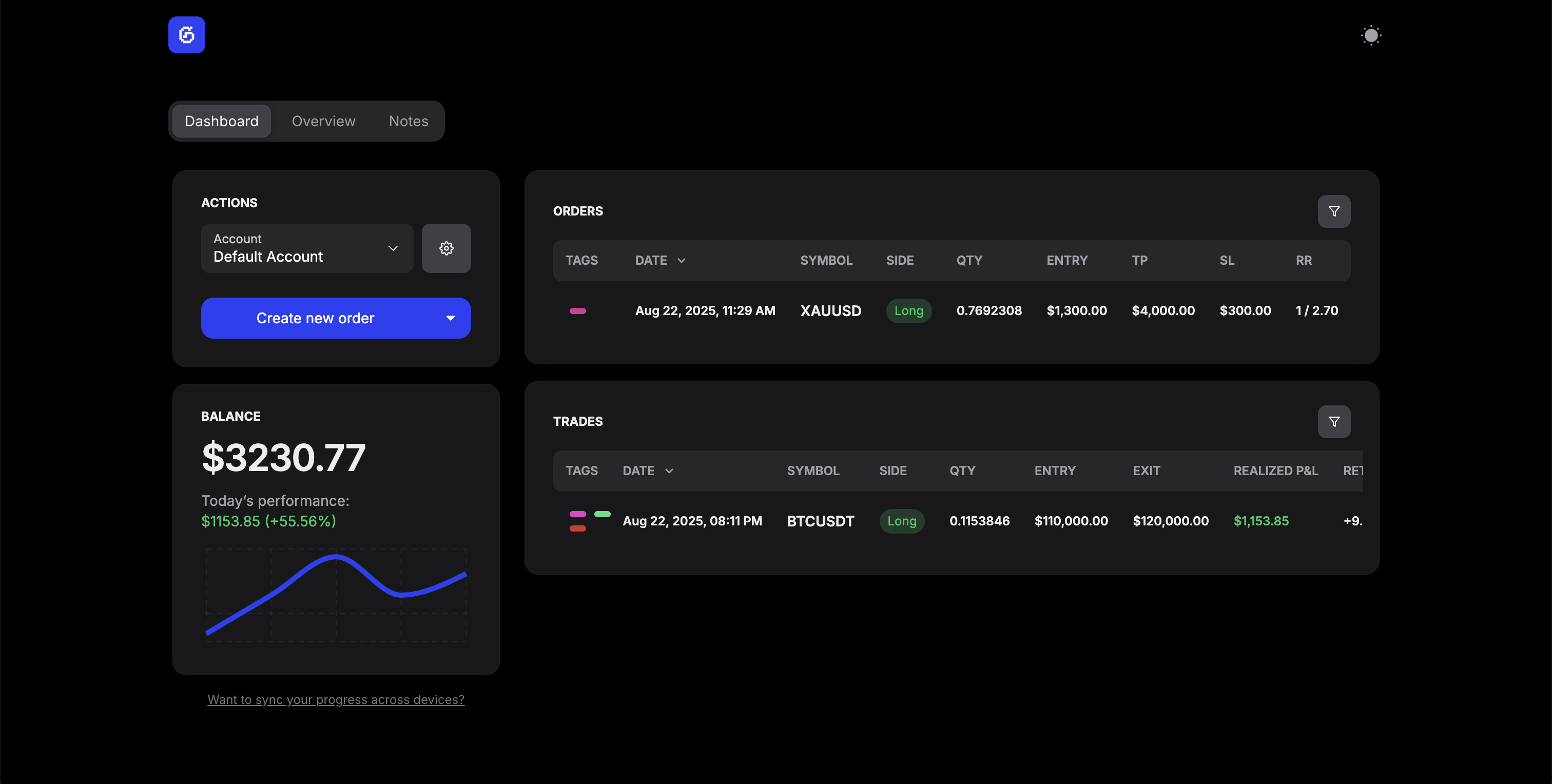
Where it fits: End-of-day trade logging, weekly performance review, identifying which setups and pairs actually make you money.
How These Apps Work Together
A practical crypto trading workflow using all five:
- Morning: Check Investing.com for macro events. Any high-impact news today? Adjust your plan.
- Pre-trade: Open TradingView, review your watchlist, mark levels, set alerts.
- Execution: Trade on your exchange (or through TradingView's integration). For DeFi trades, use MetaMask.
- Monitoring: CoinMarketCap for portfolio overview and market sentiment.
- End of day: Log trades in GASPNTRADER, tag setups, note what went well or poorly.
- Weekly review: Review your journal stats. Which pairs and setups are profitable? Which ones are losing? Adjust next week accordingly.
The tools are only as good as your process. The traders who improve are the ones who track, review, and adapt - not the ones who install the most apps. For more on what a trading journal dashboard should look like, see our dedicated guide.